
OrigynUnder contruction... So far the initial problems that I see are RGB-BGR color reversal on the AVR32 not being handled, and the BSP 2.0 stock uClibc does not support lroundf and lrint (Legacy SuSv3 is the uClibc option that is needed, if I remember correctly) Update: I have abandoned efforts to port Origyn in favor of WebKit + Midori because of the poor quality of the Origyn project. The version of WebKit is outdated and buggy and the app freezes all the time.How to build Origyn for AVR32Checkout sources from svn:svn checkout http://www.sand-labs.org/svn/branches/Blastoise BlastoiseOrigyn depends on LibIcu, SDL, SdlGfx, Curl, FreeType2 , LibXML2, and LibXslt. It also requires cmake to build it. Create the host build directory: mkdir host-build cd host-build cmake ../Blastoise make dftables cd ..Create the target build directory: mkdir avr32-build cd avr32-buildCreate avr32-toolchain.cmake: # this one is important SET(CMAKE_SYSTEM_NAME Linux) #this one not so much SET(CMAKE_SYSTEM_VERSION 1) # specify the cross compiler SET(CMAKE_C_COMPILER /usr/bin/avr32-linux-gcc) SET(CMAKE_CXX_COMPILER /usr/bin/avr32-linux-g++) # where is the target environment SET(CMAKE_FIND_ROOT_PATH /usr/avr32-linux) # search for programs in the build host directories SET(CMAKE_FIND_ROOT_PATH_MODE_PROGRAM NEVER) # for libraries and headers in the target directories SET(CMAKE_FIND_ROOT_PATH_MODE_LIBRARY ONLY) SET(CMAKE_FIND_ROOT_PATH_MODE_INCLUDE ONLY)Configure and start the build (pressing the 't' key toggles advanced mode). Make sure that you specify WEBKIT_USE_UCLIBC: ON or the build will fail: ccmake -DCMAKE_TOOLCHAIN_FILE=./avr32-toolchain.cmake ../Blastoise cmake -DCMAKE_TOOLCHAIN_FILE=./avr32-toolchain.cmake ../Blastoise make make install* Messed up screenshot: 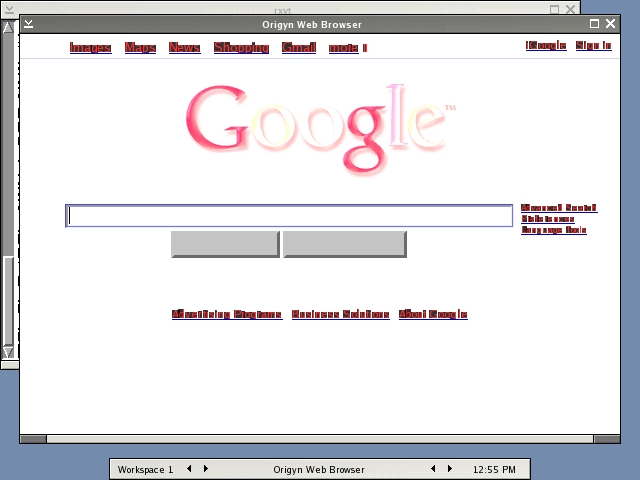 * Proper screen shot: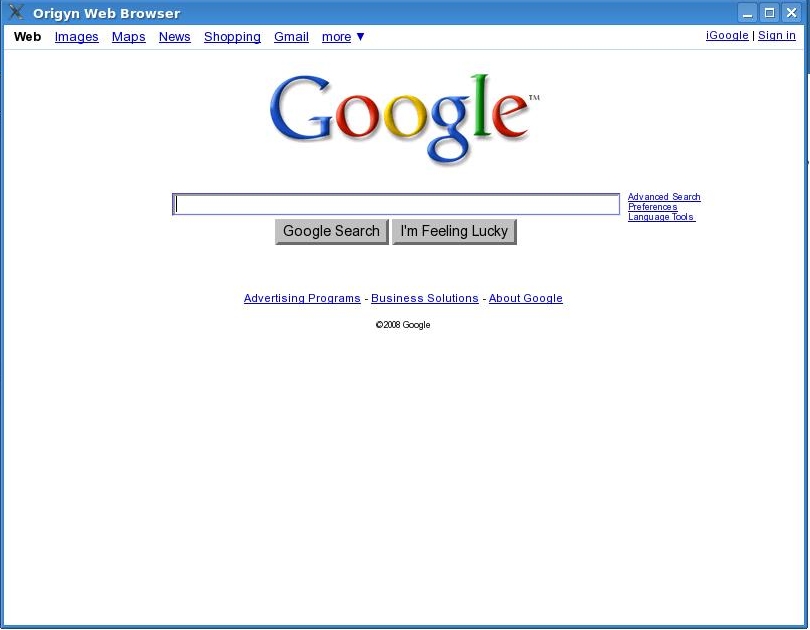
|
|








Copyright © by the contributing authors. All material on this collaboration platform is the property of the contributing authors.
Linux® is the registered trademark of Linus Torvalds in the U.S. and other countries.
Atmel®, AVR® and others are registered trademarks or trademarks of Atmel Corporation or its subsidiaries.
All other trademarks are the property of their respective owners.
Linux® is the registered trademark of Linus Torvalds in the U.S. and other countries.
Atmel®, AVR® and others are registered trademarks or trademarks of Atmel Corporation or its subsidiaries.
All other trademarks are the property of their respective owners.